
You already own a device worth hundreds of euros or dollars. It’s in your pocket right now. It has a processor more powerful than computers from a decade ago. It connects to the internet, runs thousands of applications, and you charge it every single day without thinking twice about it.
Yet many presenters still carry a separate $30-50 physical remote clicker to advance their slides.
Let’s talk about why that doesn’t make sense anymore.
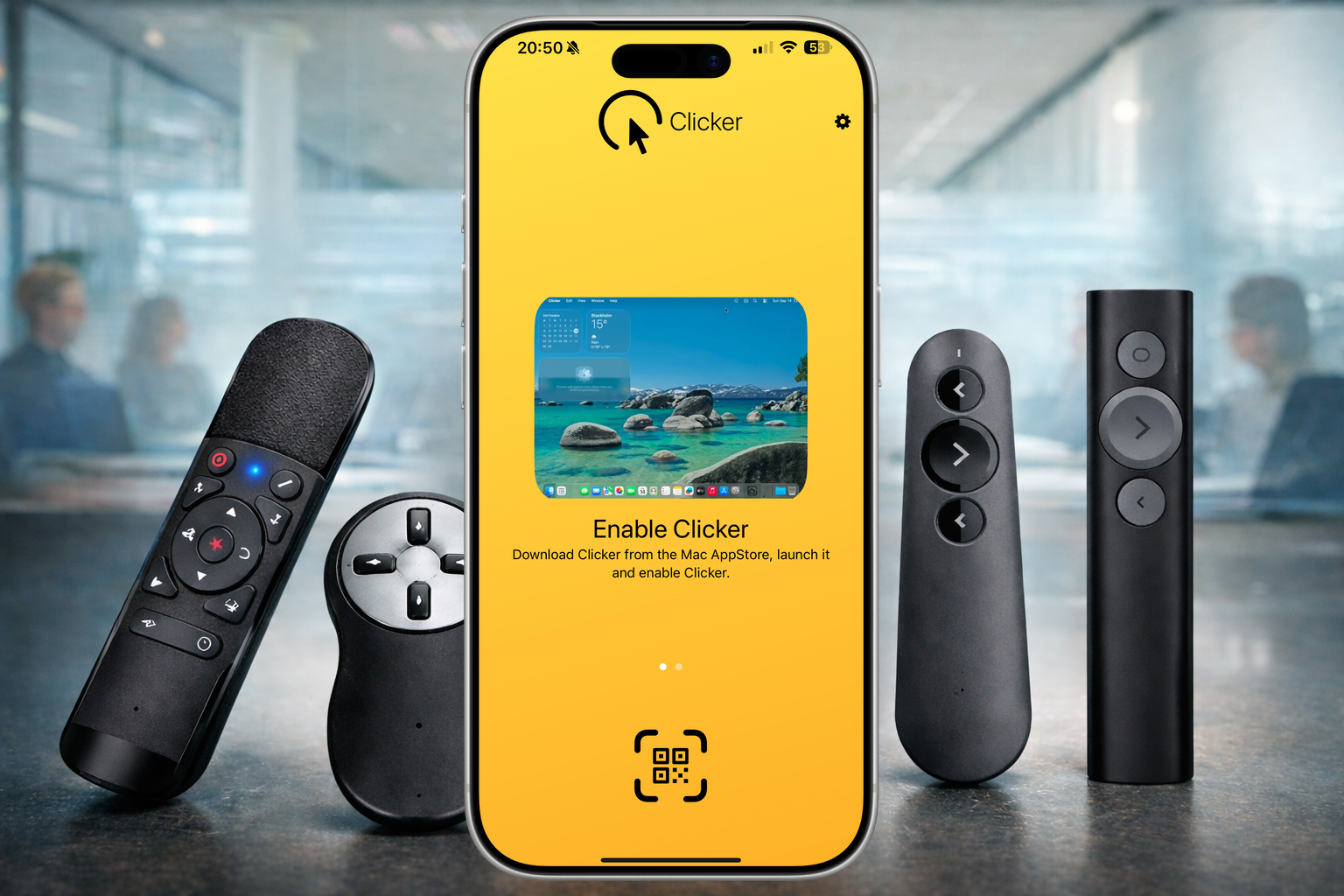

Quick Answer
Digital clickers are better than physical remotes because you already own a smartphone that’s more powerful, never runs out of batteries (since you charge it daily), receives free software updates, and offers superior control through touchscreen gestures. With a digital clicker app, there are no dongles to forget, no compatibility issues, and no need for additional hardware. Your phone becomes your presentation remote.
The Case for Digital Clickers
The shift from physical remotes to smartphone apps isn’t just a trend—it’s the natural evolution of presentation technology. Here’s why digital clickers, especially dedicated presentation apps like Clicker, have become the smarter choice for modern presenters.
You Already Own the Hardware
This is the most compelling argument, and it deserves to be stated clearly: you already have everything you need.
Your iPhone or Android device is:
- Powerful: More processing power than entire rooms of computers had 15 years ago
- Always with you: You carry it everywhere anyway
- Constantly updated: New features arrive automatically
- Trusted by professionals: Business executives, engineers, and creatives rely on these devices daily
A dedicated physical remote does only one thing: advance slides. Your smartphone does that, plus everything else. There’s no need for an additional gadget.
Say Goodbye to Dongle Hell
One of the most frustrating aspects of physical clickers? Dongle incompatibility.
Let’s paint a real scenario: You have a USB presentation remote with a USB-A connector. You show up to present on your MacBook Pro, which only has USB-C ports. Now you need:
- A USB-A to USB-C adapter (if you even remembered to bring it)
- Time to troubleshoot why the dongle isn’t being recognized
- The anxiety that your backup plan won’t work either
Or worse—you have an older wireless clicker with a proprietary USB receiver.
With a digital clicker, there’s no dongle. Ever. You’re connecting wirelessly over Bluetooth—technology that’s been standardized and perfected across all modern devices. No adapters. No compatibility headaches. Just open the app and present.
“Digital clickers eliminate the dongle problem because they don’t use hardware connectors—they use wireless technology that’s built into every smartphone.”
Why Digital Clickers Win: The Three Key Advantages
Battery Life Without Worry Physical clickers run on AA or AAA batteries that die at the worst moments. Your smartphone? It’s already charged every single day. Your “clicker” charges automatically with everything else you do.
“Your phone’s battery is your clicker’s battery. You charge one, not two.”
No special batteries, no replacements, no backup packs to carry.
Constant Updates and New Features A physical clicker from 2015 does exactly what it did a decade ago. But a digital clicker app evolves.
“Physical clickers are frozen in time. Digital clickers improve every year—for free.”
New platform integrations, improved gestures, better wireless stability, and security patches arrive automatically. You get free upgrades forever—without buying new hardware.
Superior Control and Flexibility While physical clickers offer two buttons and maybe a laser pointer, digital clickers deliver:
- Tap and swipe gestures for intuitive control
- Jump to any slide instantly without clicking through one by one
- Speaker notes only you see on your device (coming soon to Clicker)
- Built-in timer and clock to track your presentation (coming soon to Clicker)
- Real-time previews of upcoming slides (coming soon to Clicker)
You’re controlling presentations with a device designed for human interaction, not a primitive pair of buttons.
Cost Comparison: Digital vs Physical Clickers (5-Year View)
| Cost Category | Physical Clicker | Digital Clicker App |
|---|---|---|
| Initial Purchase | $40-80 | Free to $10 |
| Annual Battery Costs | $5-10/year | $0 (charges with phone) |
| Replacements/Repairs | $40-80 (when it breaks) | $0 (built into phone) |
| Adapters for new devices | $10-30 (USB-A to USB-C, proprietary receivers) | $0 (wireless only) |
| Software updates | One-time purchase, no updates | Free updates forever |
| 5-Year Total Cost | $100-200+ | $0-10 |
Key insight: Digital clickers pay for themselves within months and continue improving with free software updates.
Real-World Scenarios Where Digital Clickers Win
Remote Presentations (Zoom, Teams, Google Meet) Your physical clicker is useless—it won’t control slides in a video call. A digital clicker app works seamlessly because it’s software-based, not hardware-dependent.
International Travel You’re presenting in another country and left your proprietary USB receiver at home. With a digital clicker, you simply open the app. No hardware required, no stress.
MacBook USB-C Transition You upgrade to a new MacBook with only USB-C ports. Your old USB-A clicker doesn’t work. You need an adapter (or a new clicker). With Clicker, nothing changes—wireless works on all devices.
Multiple Presentation Platforms Today: PowerPoint. Tomorrow: Keynote. Next week: Google Slides. A digital clicker works across all platforms. Most physical clickers might not.
Backup and Redundancy Your physical clicker dies mid-presentation. You’re stuck. With a digital clicker, your backup is literally in your pocket—your phone.
Meet Clicker: The Presentation App Built for Presenters
If you’re ready to embrace wireless, app-based presentation control, Clicker is built specifically for this. Here’s why presenters choose Clicker:
What Clicker Offers:
- Simple, beautiful interface - Control your slides with one tap, no learning curve
- Cross-platform support - Works with PowerPoint and Keynote
- Instant responsiveness - Your taps advance slides immediately
- Speaker-only information - See speaker notes, preview upcoming slides, and track time—all invisible to your audience (Coming soon to Clicker)
- Reliable wireless connection - Connectivity that actually works when you need it
- Freedom to present naturally - Walk around the room, face your audience, present with confidence
Best of all, no more Do you have a Clicker? when you are going to present. You now have your own Clicker always with you, in your pocket!
Clicker respects your presentation. It gets out of the way and does one thing brilliantly: putting you in complete control of your slides from anywhere in the room.
Frequently Asked Questions
Q: What if my phone battery dies during a presentation? Your phone is charged daily as part of your routine. Unlike physical clickers that require separate batteries you might forget, your phone is always part of your critical devices. Plus, you can enable Low Power Mode to extend battery life during extended presentations.
Q: Do digital clickers work with all presentation software? Clicker works with PowerPoint and Keynote. Google Slides support is coming soon. Most modern presentation apps support wireless control via Bluetooth or WiFi.
Q: Are digital clickers secure? What about my presentation content? Digital clickers use direct device-to-device connections, meaning your presentations stay on your local network. No cloud upload, no third-party servers—just your phone controlling your laptop. Security is built in.
Q: Can I use a digital clicker if I’m not tech-savvy? Yes. Digital clickers like Clicker are designed to be simpler than physical remotes. One tap advances your slide. That’s it. No buttons to memorize, no settings to fiddle with.
Q: What if I want to use both PowerPoint and Keynote? Digital clickers work across both platforms because they’re software-based. A single app controls all your presentations. Physical clickers often require separate devices for different platforms.
Q: How does a digital clicker compare to keyboard shortcuts? Keyboard shortcuts work only when your laptop is accessible. With a digital clicker, you advance slides from anywhere in the room—while walking, while engaging with your audience, while facing them instead of the screen.
Q: Do I need WiFi for a digital clicker to work? No. Clicker uses Bluetooth, so it works without WiFi. This makes it ideal for venues with poor network connectivity.
See Clicker in Action
Get Clicker Today
Transform how you present. Download Clicker from the iOS and Mac App Store and experience the freedom of controlling your presentations from your iPhone.
Have thoughts on digital vs physical clickers? Questions about Clicker? Reach out on Bluesky or email us