
Clicker
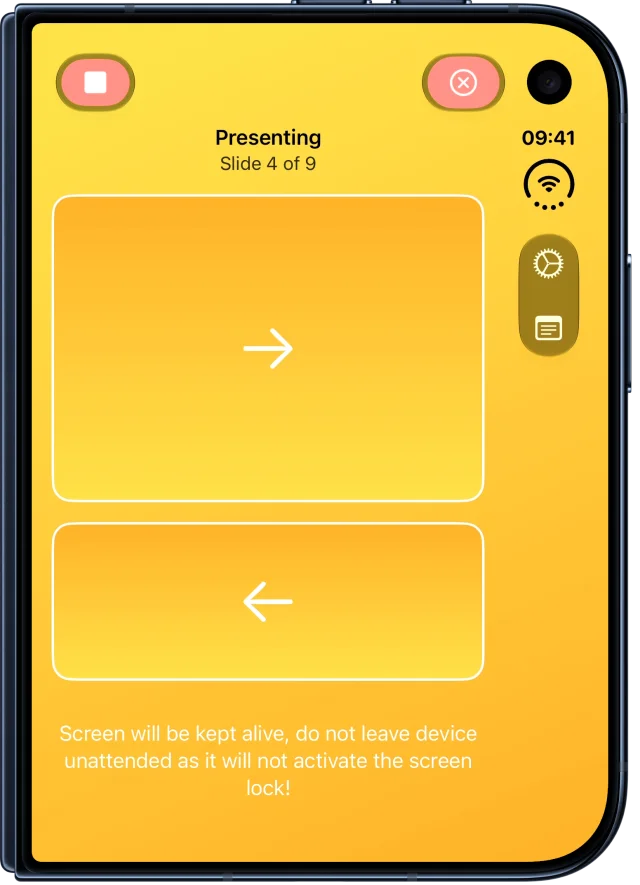
Turn your iPhone into a presentation remote

Control Keynote and PowerPoint on Mac without extra hardware. Connect quickly, move freely, and present with confidence.
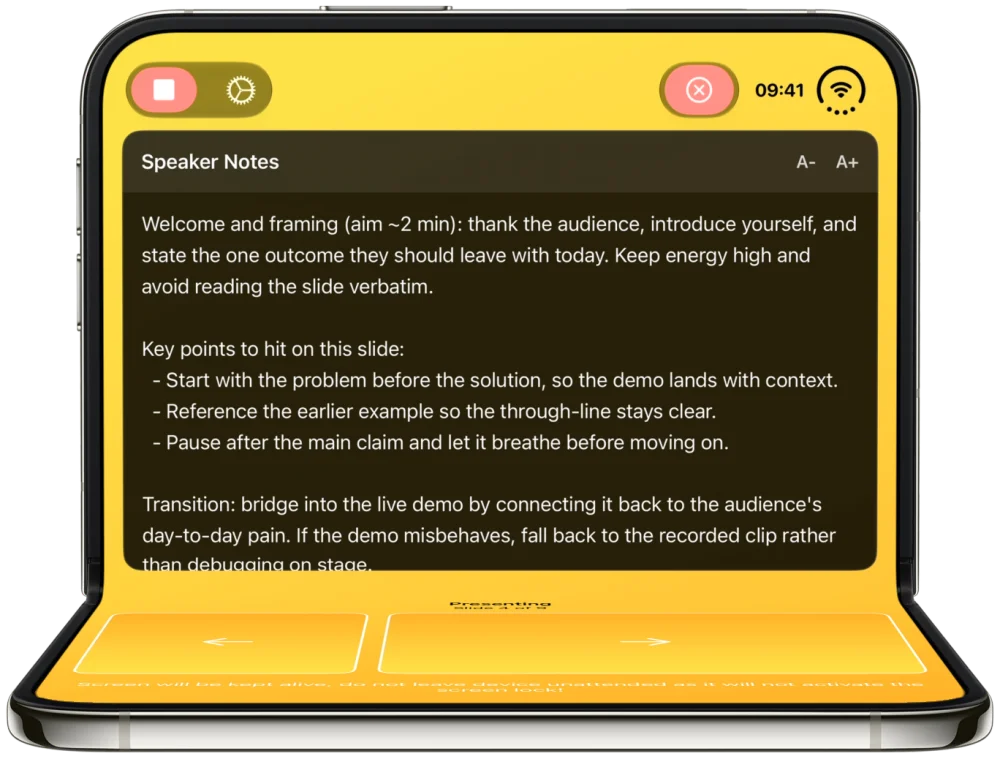
Built for every way iPhone Duo folds
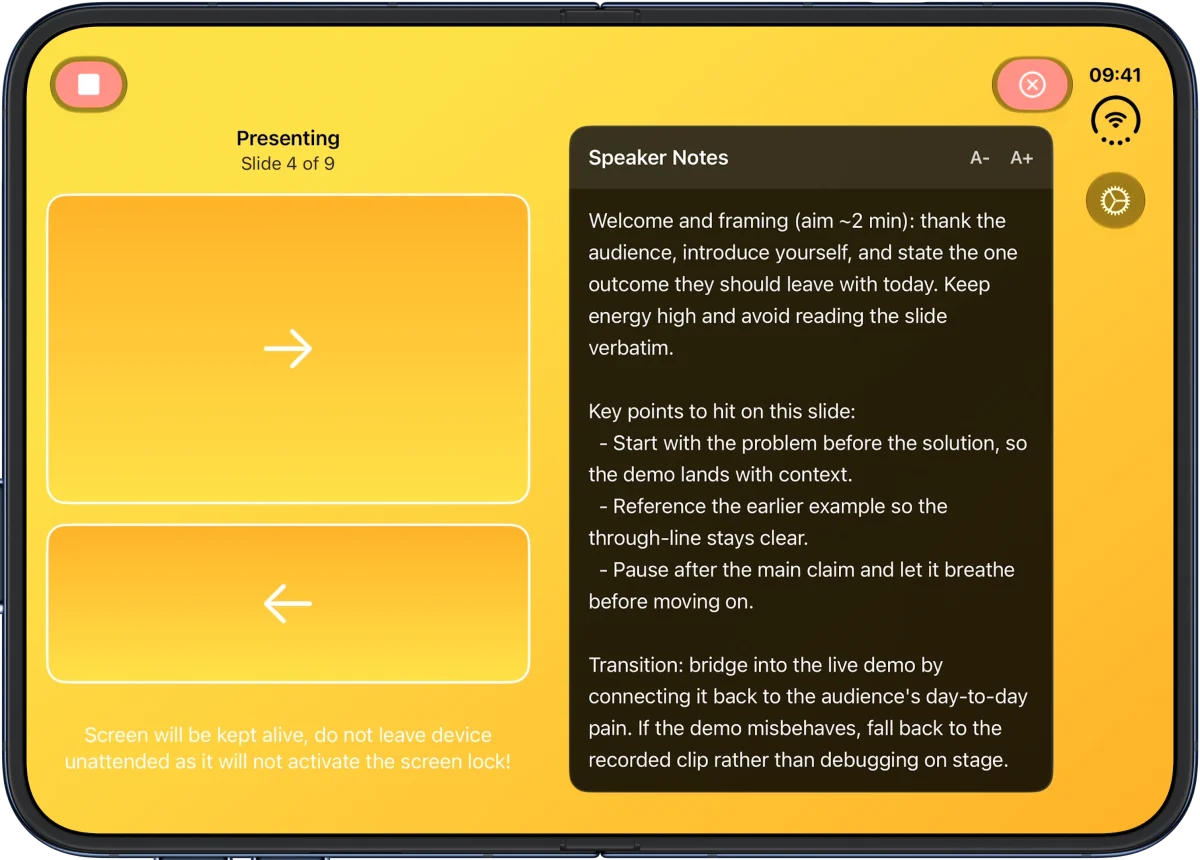
Clicker adapts to iPhone Duo in all of its forms: closed, open, open portrait, book, and laptop. Use the cover screen as a slim remote, or open it up to see your controls and speaker notes side by side. Your iPhone Duo controls Keynote and PowerPoint on your Mac, whichever way you hold it.
See how Clicker works on iPhone Duo →
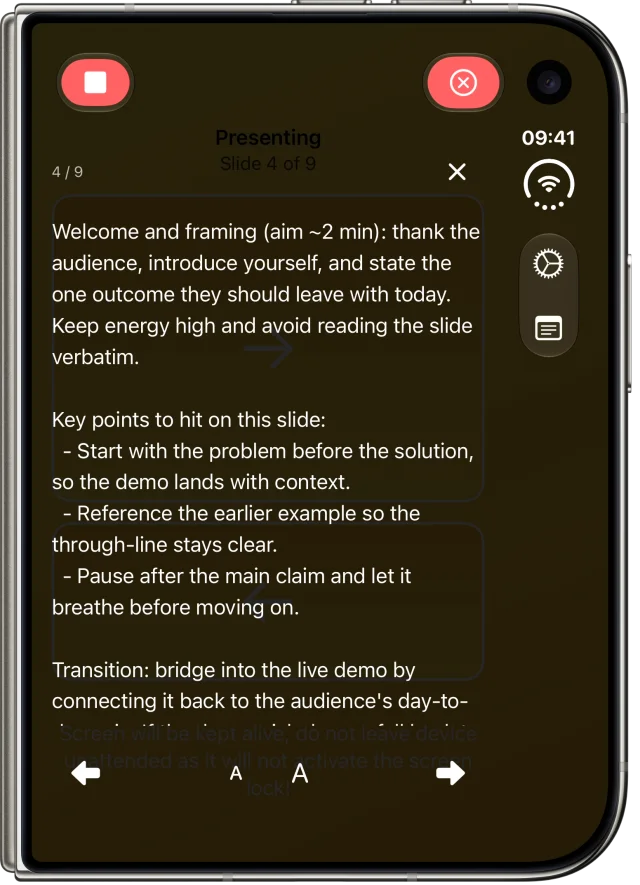
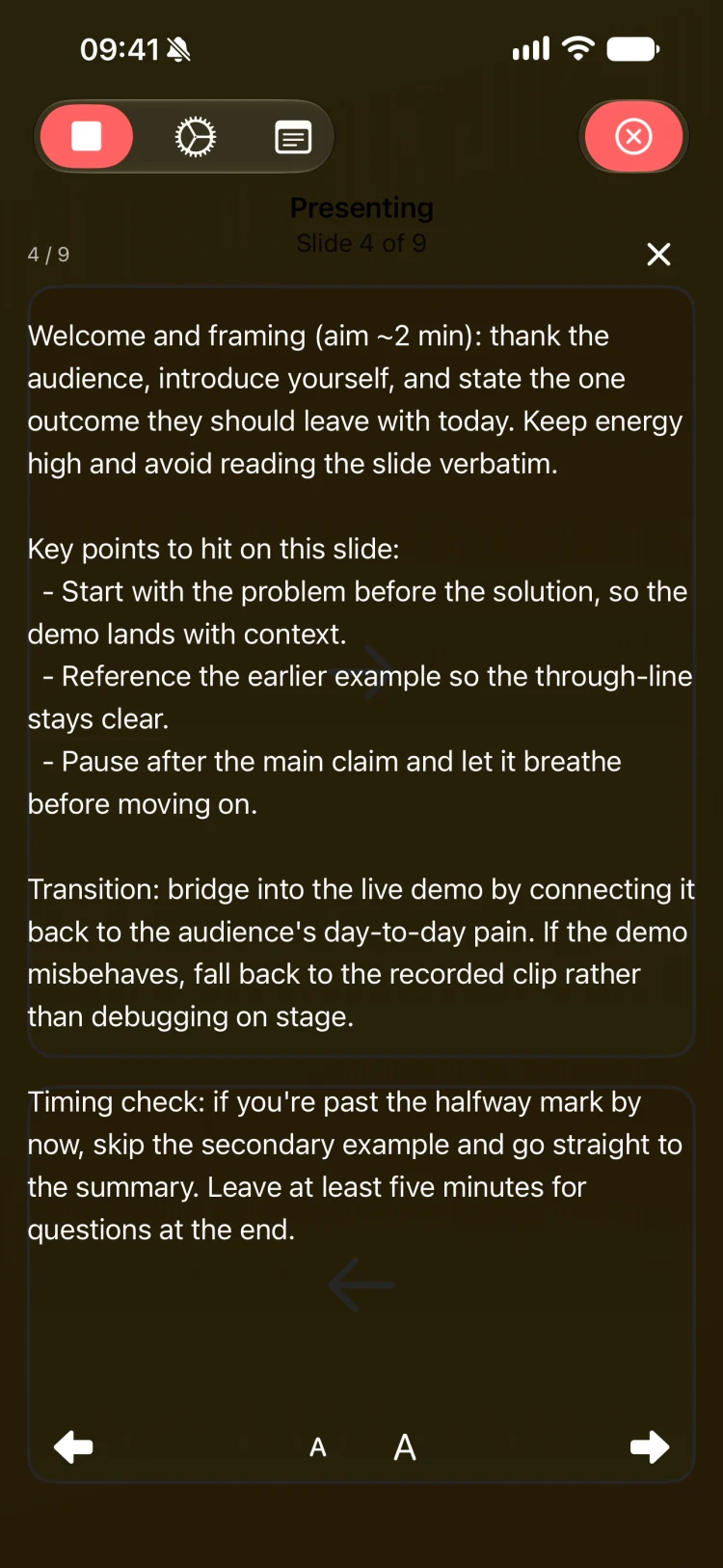
Your presenter notes, right on your phone
Clicker fetches your Keynote and PowerPoint presenter notes on your iPhone or iPad as you present. Notes follow along automatically with every slide, and you can scale the text larger or smaller to match the room.
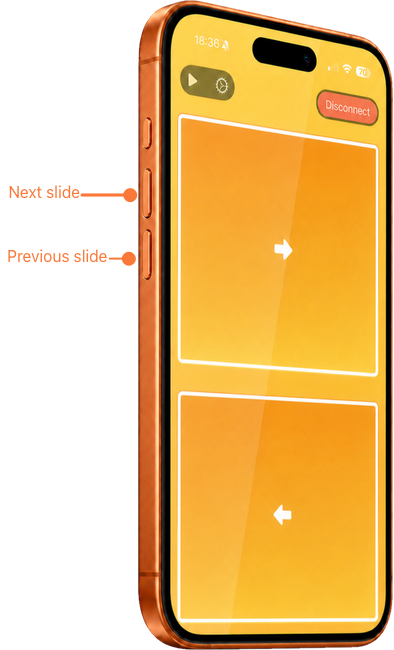
Click through slides with your volume buttons
Advance and rewind your deck using your device's volume buttons. Volume up moves to the next slide, volume down goes back, so navigating feels as natural as a physical clicker.
See Clicker in Action
Watch how easy it is to control your presentations wirelessly
Helpful guides
Start with the page that matches how you present

Wireless Freedom
Control your presentations wirelessly from your iPhone or iPad. No dongles, no adapters, no hassle.
Instant Connection
Quick QR code pairing gets you presenting in seconds. Compatible with Keynote and PowerPoint.
Move & Engage
Break free from the podium. Walk, interact, and connect with your audience while staying in control.
Simple Controls
Clean, focused controls designed for live presentations without distractions or extra hardware.
Enterprise Ready
Volume licensing and deployment options available for teams and organizations.
Privacy First
Direct device-to-device connection. Your presentations stay private and secure.